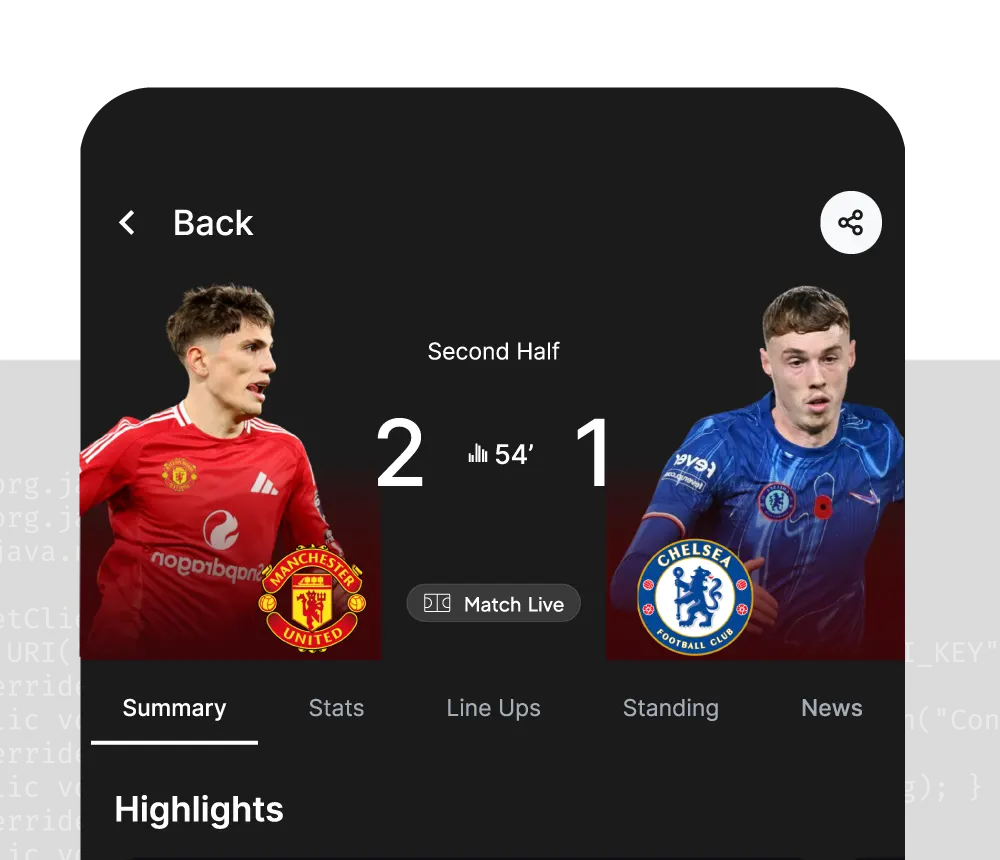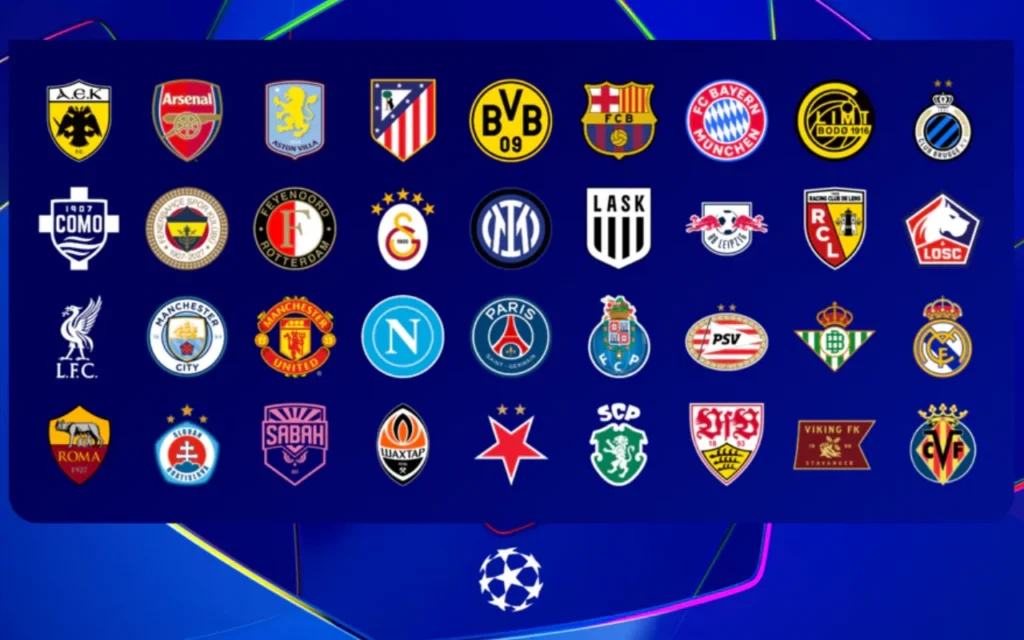
The 2026/27 Champions League kicked off on September 8. Thirty-six clubs, an eight-round league phase, and every matchweek crams eight or nine games into a Tuesday night and eight or nine more into Wednesday, nearly all of them kicking off at the same minute. If you want to add a Champions League section to your product — a score wall, goal alerts, a pre-match odds comparison, an in-play line tracker — the hard part is never the UI. It’s three upstream questions: where do the fixtures come from, how do you poll nine simultaneous matches without hitting a rate limit, and how do you line the odds up with the scores for the same game?
This guide answers exactly those three. We’ll use the AnySport football data API, start from the Champions League league_id, and walk the whole chain: confirm the season → pull this week’s fixtures → poll live scores across multiple matches → fetch pre-match and in-play odds → subscribe to WebSocket push for the entire competition on one connection. Endpoints, fields, and IDs are all real. Copy, paste, run.
What you can build with Champions League data
Around a single Champions League season, these are the products people actually ship:
- A Champions League score wall — every match of the night on one screen: score, minute, phase.
- Goal and red-card alert bots — “Man City 1-0 PSG, 23′” pushed to Telegram, Discord, or Slack.
- The league-phase table — the new format puts 36 teams in one big table; the top 8 go straight to the round of 16 and 9th–24th play a knockout play-off. The table is content in itself.
- Pre-match odds comparison — all 18 fixtures of a matchweek with 1X2, Asian handicap, and over/under lines before kickoff.
- In-play odds monitoring — track the main market once the whistle blows for line-movement alerts or backtesting.
- Analytics platforms — historical scores plus odds as model inputs; the Champions League is the highest-traffic sample you’ll get.
The data needs split into two layers: the score layer (fixtures, live scores, events) and the odds layer (pre-match, in-play). We’ll cover the design decisions you need to know first, then write code for each layer.
Before you start: five things to know
1. The Champions League league_id and the season string
Every AnySport entity ID carries a semantic prefix: asl_ for leagues, ast_ for teams, as_ for matches, asp_ for players. The Champions League’s league ID is:
asl_33740788c32040dc88ecfcf1c2b23023The season is a string. A single-year tournament like the World Cup is 2026. A cross-year competition like the Champions League spells out both years with a hyphen: 2026-2027. Not 2026/27, not 2026-27, not 2026. This is the first thing that trips people up on a Champions League integration; step 2 below confirms it against the /seasons endpoint.
2. One match_id runs through every endpoint
The same Champions League fixture carries the same as_-prefixed match_id across fixtures, live scores, the event feed, pre-match odds, in-play odds, and WebSocket push. You find the match once in the fixtures list and reuse that ID everywhere. There is no “fixture ID to odds ID” mapping table to maintain, which removes an entire layer of glue code from an odds comparison page.
3. Everything is UTC, and Champions League kickoffs sit right on a date boundary
Every time field in AnySport is UTC. Fixtures split date and time into two fields; you stitch them into 2026-09-15T19:00:00Z and convert to local time yourself.
Champions League kickoffs make this bite harder than most competitions. The 21:00 CEST slot is 19:00 UTC. For anyone in Asia or Australia that’s already the next calendar day — 3:00 AM in Singapore, 5:00 AM in Sydney — so querying by your local date silently misses the whole evening. For the US it’s 3:00 PM Eastern, and the early 18:45 CEST slot lands at lunchtime. Either way, don’t compute absolute dates by hand. Use the relative-window endpoint /matches/window.
4. status has three shapes, not one enum
The fixtures endpoint’s status field comes in three forms:
- A text status:
Not Started/HT/FT/AET/Pen./Postp.and so on HH:MM(e.g.19:00): not started; the value is the UTC kickoff time- A bare number (e.g.
23,67): in progress; the value is the current match minute
“Is this match live?” is a shape check, not a string comparison. The docs explicitly steer you away from using the status query parameter to filter for in-progress matches: pull a date window and classify on the client.
5. Which data lives on which plan
| Data | Endpoints | Minimum plan |
|---|---|---|
| Fixtures, live scores, standings | /matches /livescore /standings | Free trial (7 days) |
| Lineups, injuries, players | /lineups /injuries /players | Basic (99 USDT/mo) |
| Pre-match odds | /odds/prematch | Pro (199 USDT/mo) |
| In-play odds, WebSocket | /odds/live wss://…/ws/live | Premium (399 USDT/mo) |
The entire score layer runs on the free trial. The odds layer needs Pro or Premium.
Champions League data sources compared
Every provider covers the Champions League. The difference isn’t whether you can get it, it’s latency, odds, and price:
| Provider | Positioning | UCL live scores | UCL odds | Notes |
|---|---|---|---|---|
| Football-Data.org | Entry-level / open-source friendly | Yes (minute-level) | No | Free tier is tightly rate-limited; no odds, no push |
| TheSportsDB | Community database | Weak | No | Mostly static reference data, poor real-time |
| API-Football | Mainstream developer choice | Yes | Yes | Broad coverage, good docs, real-time via polling |
| SportMonks | Subscription commercial | Yes | Yes (add-on) | Tiered plans; odds and lineups cost extra |
| The Odds API / BetsAPI | Odds aggregators / betting-oriented | Partial | Yes | In-play depth varies; BetsAPI has compliance hurdles |
| Sportradar / Stats Perform (Opta) | Enterprise official data | Yes (millisecond) | Yes | Fastest and most complete; contract-based, very expensive, gated access |
| AnySport | Developer-friendly + second-level push | Yes (REST + WebSocket) | Yes (pre-match + in-play) | One match_id everywhere, WebSocket subscriptions filtered by league, crypto billing |
(Exact prices and coverage change; check each provider’s site. This table is for positioning only.)
The practical read: Sportradar and Opta are built for sportsbooks and broadcasters, and small teams won’t get past the sales call. Football-Data.org is fine for a weekend project but a Champions League score wall will hit its rate limit fast, and there are no odds. The middle tier is where most developers land. AnySport’s edge there is one match_id shared between scores and odds plus a WebSocket that subscribes to the whole competition on one connection, which matters a lot when nine matches kick off at once.
Step by step: from the Champions League league_id to WebSocket
Step 0: Authentication and a tiny client
Sign up at dashboard.anysport.io; after email verification your API key is on the dashboard home page. There is exactly one way to authenticate: the apikey request header, lowercase.
curl -H "apikey: YOUR_API_KEY" \
"https://data.anysport.io/v1/soccer/leagues?league_id=asl_33740788c32040dc88ecfcf1c2b23023"⚠️ Gotcha 1: No
?api_key=query parameter, noX-API-Keyheader. Anything else returns401 UNAUTHORIZED. WebSocket is the one exception: there the key goes in the URL. See step 5.
Every REST endpoint lives under https://data.anysport.io/v1/soccer, and every response uses the same success / data / meta / traceId envelope. Wrap it once and reuse it throughout:
import requests
from datetime import datetime, timezone
from zoneinfo import ZoneInfo

API_KEY = "YOUR_API_KEY"
BASE = "https://data.anysport.io/v1/soccer"
HEADERS = {"apikey": API_KEY}

UCL_LEAGUE_ID = "asl_33740788c32040dc88ecfcf1c2b23023"
UCL_SEASON = "2026-2027"          # cross-year seasons spell out both years

def get(path, **params):
    r = requests.get(f"{BASE}{path}", headers=HEADERS, params=params, timeout=10)
    if r.status_code == 429:
        raise RuntimeError("Rate limited. Check your caching strategy.")
    r.raise_for_status()
    body = r.json()
    if not body["success"]:
        raise RuntimeError(f"{body['error']['code']}: {body['error']['message']} (traceId={body.get('traceId')})")
return body["data"]Include the traceId when you contact support. It shortens the investigation considerably.
Step 1: Confirm the league and the season
Look the league up by ID and check is_cup while you’re there:
league = get("/leagues", league_id=UCL_LEAGUE_ID)[0]
print(league["name"], league["country"], "is_cup =", league["is_cup"])/leagues returns league_id / name / country / country_id / is_cup. International competitions like the Champions League come back with is_cup: true.
Then confirm the 2026-2027 season string actually exists via /seasons, and whether it has standings and results yet:
seasons = get("/seasons", league_id=UCL_LEAGUE_ID)
for s in seasons:
    if s["season"] == UCL_SEASON:
        print(s)
# {'league_id': 'asl_3374...', 'season': '2026-2027', 'has_results': True, 'has_standings': True}⚠️ Gotcha 2:
/seasonsis the only authoritative source for validseasonvalues. A cross-year season is2026-2027. Writing2026-27or2026doesn’t error; it returns empty data or a different season, which is much harder to debug. Run/seasonsonce before you write anything else.
Step 2: Pull this matchweek’s fixtures
Use the recent matches endpoint. from_days and to_days are day offsets from today (UTC), so you never compute dates by hand, and because the window already constrains the dates you don’t need to pass season:
curl -H "apikey: YOUR_API_KEY" \
"https://data.anysport.io/v1/soccer/matches/window?from_days=0&to_days=2&league_id=asl_33740788c32040dc88ecfcf1c2b23023"Each fixture looks like this (fields per the docs; the match_id and team_id values are whatever the API returns for you):
{
  "match_id": "as_…",
  "date": "2026-09-15",
  "time": "19:00",
  "status": "19:00",
  "league": "…",
  "league_id": "asl_33740788c32040dc88ecfcf1c2b23023",
  "season": "2026-2027",
  "home": { "name": "…", "team_id": "ast_…" },
  "away": { "name": "…", "team_id": "ast_…" },
  "venue": ""
}Finished matches also carry ht_score / ft_score, matches that went to extra time carry et_score, and shootouts carry penalty_score.
Split the night’s fixtures into three groups and convert kickoffs to your local timezone:
LOCAL_TZ = ZoneInfo("America/New_York")     # or "Asia/Singapore", "Europe/London", ...

def kickoff_local(m, tz=LOCAL_TZ):
    """Stitch the split date + time fields into a UTC datetime, then convert."""
    utc = datetime.strptime(f"{m['date']} {m['time']}", "%Y-%m-%d %H:%M").replace(tzinfo=timezone.utc)
    return utc.astimezone(tz)

def classify(status: str) -> str:
    """Three-shape status check."""
    if status in ("HT", "ET", "P", "Break Time") or status.isdigit():
        return "live"
    if status in ("FT", "AET", "Pen.", "Awarded", "WO"):
        return "finished"
    return "upcoming"      # HH:MM / Not Started / TBA / "" / Postp. etc.

matches = get("/matches/window", from_days=0, to_days=2, league_id=UCL_LEAGUE_ID, limit=100)

groups = {"upcoming": [], "live": [], "finished": []}
for m in matches:
    groups[classify(m.get("status", ""))].append(m)

for m in groups["upcoming"]:
    print(kickoff_local(m).strftime("%a %H:%M"), m["home"]["name"], "vs", m["away"]["name"], m["match_id"])
# Tue 12:45  …   (the 18:45 CEST slot)
# Tue 15:00 … (the 21:00 CEST slot)⚠️ Gotcha 3: A Champions League matchday has two kickoff slots, 16:45 and 19:00 UTC.
from_days=0means UTC today. If you’re east of UTC+5 those matches are “tomorrow morning” locally but still “today” to the API. Size the window in UTC, not in your local calendar.⚠️ Gotcha 4:
/matches/windowdefaultsto_daysto 7, caps the span at 90 days, and capslimitat 100. One matchweek is 18 fixtures over two or three days, soto_days=2withlimit=100fits on one page. Pulling the whole league phase means paginating; checkmeta.total_pages.
Step 3: Live scores across multiple matches — do the rate-limit math first
Livescore endpoint (/livescore) is a per-match endpoint. match_id is required; there is no “give me every live match” call.
def live_score(match_id):
    rows = get("/livescore", match_id=match_id)
return rows[0] if rows else NoneThe response (a real payload from the docs, Argentina 3-1 Switzerland at the 2026 World Cup; Champions League matches have identical fields):
{
  "match_id": "as_3b37c382f39a4235aa93705f053b2da4",
  "home": "Argentina",
  "away": "Switzerland",
  "league": "World Cup 2026",
  "minute": 120,
  "phase": "finished",
  "home_score": 3,
  "away_score": 1,
  "ht_score": "1-0",
  "reg_score": "1-1",
  "et_score": "3-1",
  "updated_at": "2026-07-12T03:45:50Z"
}⚠️ Gotcha 5:
/livescoredoes not returnstatus. It returnsphase(regular/extra_time/penalty/finished). Full time isphase == "finished", period.minuteis a continuous clock that includes stoppage time and never resets, so “are we in extra time?” isminute > 90, not aphasecheck — ordinary attacking frames during extra time still reportregular. The league phase has no extra time, so this only bites from the knockout rounds in February 2027, but write it correctly now and you won’t touch it later.
The real problem with a Champions League score wall is concurrency versus rate limits. Every plan has both a per-second and a per-hour cap, and exceeding either returns 429:
| Plan | Per second | Per hour | 9 concurrent matches, one poll round every 30 s |
|---|---|---|---|
| Free trial | 1 | 120 | 1,080 req/h — you hit the wall 7 minutes after kickoff |
| Basic | 1 | 2,000 | Gets you through one night with no headroom |
| Pro | 3 | 10,000 | Fine |
| Premium | 6 | 20,000 | Fine, and you should be on WebSocket anyway |
So a REST-polled score wall has to be disciplined: poll only the live group, cache the fixtures list, space out the rounds, and serialize requests to respect the per-second cap:
import time

def poll_wall(live_matches, interval=60):
    """Poll only in-progress matches; refresh the groups from /matches/window every few minutes."""
    while live_matches:
        still_live = []
        for m in live_matches:
            s = live_score(m["match_id"])
            time.sleep(1.1)          # Free / Basic: 1 request per second, serialized
            if not s:
                continue
            print(f"{s['home']} {s['home_score']}-{s['away_score']} {s['away']}  "
                  f"{s['minute']}'  {s['phase']}")
            if s["phase"] != "finished":
                still_live.append(m)
        live_matches = still_live
time.sleep(interval)This loop makes roughly 540 requests an hour for nine matches at one round per minute, which already blows through the free trial’s 120. The free trial is for proving the pipeline works. A production Champions League score wall is either Pro with polling or Premium with WebSocket. WebSocket is the right answer, and step 5 covers it.
Step 3½: The goal event feed
/livescore gives you the result. For “Man City 1-0, 23′, Haaland” you need the Match stats endpoint, /matches/{match_id}/situation, which returns a full snapshot of every event so far plus eleven match stats. Each poll returns the whole history, so you replace local state wholesale rather than stitching deltas.
def new_goals(match_id, seen: set):
    """Return goal events not yet processed; `seen` holds handled seq numbers."""
    s = get(f"/matches/{match_id}/situation")
    fresh = [e for e in s["events"] if e["type"] == "goal" and e["seq"] not in seen]
    seen.update(e["seq"] for e in fresh)
    return fresh

seen = set()
for e in new_goals("as_YOUR_MATCH_ID", seen):
print(f"{e['minute']}' {e.get('team','')} {e['text']}")Event type has seven values: goal / yellow_card / red_card / corner / penalty / substitution / event. stats is a fixed set of eleven keys with [home, away] pairs, e.g. "c": [8, 2] means eight corners to two.
⚠️ Gotcha 6: The situation endpoint’s
status(values likehome_corner,var_goal,full_time) and the eventtypeare open enums that grow over time. Degrade unknown values to a generic event instead of throwing. And before kickoff the endpoint returns 404 — treat it as “no data yet”, not as a system error.
Step 4: Pre-match and in-play odds
Odds use the same match_id. Pre-match odds comes from /odds/prematch (Pro and above):
curl -H "apikey: YOUR_API_KEY" \
"https://data.anysport.io/v1/soccer/odds/prematch?match_id=as_YOUR_MATCH_ID"The response (a real payload from the docs, England vs Argentina in the World Cup semi-final, trimmed):
{
  "match_id": "as_37f0da0520bb4e9a9588f80994cefc5b",
  "home": "England",
  "away": "Argentina",
  "bookmaker": "bet365",
  "phase": "prematch",
  "main_market": "match_winner",
  "home_odd": 2.62,
  "draw_odd": 3.0,
  "away_odd": 3.0,
  "markets": [
    { "market_code": "match_winner",
      "options": [ { "name": "Home", "odd": 2.62 }, { "name": "Draw", "odd": 3.0 }, { "name": "Away", "odd": 3.0 } ] },
    { "market_code": "asian_handicap",
      "options": [ { "name": "Home -1.25", "odd": 4.8 }, { "name": "Away +1.25", "odd": 1.18 }, { "name": "Home -1", "odd": 4.4 } ] }
  ]
}Once the match starts, switch to Live Odds (/odds/live) with the same match_id. The top-level fields match, but two structural things differ:
Pre-match /odds/prematch | In-play /odds/live | |
|---|---|---|
main_market | match_winner | fulltime_result |
| 1X2 option labels | Home / Draw / Away | 1 / X / 2 |
| Where the line lives | Inside the option name (Home -1.25) | A separate markets[].handicap field, omitted on markets with no line |
Here’s the core of a matchweek odds comparison page: pull the main market for all 18 fixtures and convert to implied probability.
def implied(odds_row):
    raw = {"1": odds_row["home_odd"], "X": odds_row["draw_odd"], "2": odds_row["away_odd"]}
    total = sum(1 / v for v in raw.values())        # strip the overround
    return {k: round(1 / v / total, 3) for k, v in raw.items()}

for m in groups["upcoming"]:
    rows = get("/odds/prematch", match_id=m["match_id"])
    if not rows:
        continue                                    # market not open yet
    o = rows[0]
    print(f"{o['home']} vs {o['away']}  "
          f"{o['home_odd']} / {o['draw_odd']} / {o['away_odd']}  {implied(o)}")
time.sleep(0.4) # Pro: 3 requests per second⚠️ Gotcha 7: Pre-match and in-play are two physically separate feeds, and the
leaguefield is named differently in each. The docs’ own example isWorld: World Championship - Play Offspre-match versusWorld Cup 2026in-play, for the same tournament. Don’t filter Champions League odds by league name. Iterate thematch_idlist you got from the fixtures endpoint. That’s what the shared-ID design is for.⚠️ Gotcha 8: In-play markets shrink dynamically. After a goal the affected markets are pulled and re-listed, the count drops toward the end of the match, and after full time
marketscan be[]. Never assume a givenmarket_codeis present. “Next N minutes” markets also carry a double space in the option name (Goals/Over 0.5); split on\s+.
Step 5: WebSocket — the whole Champions League on one connection
Premium includes WebSocket push, which is the right architecture for a score wall or in-play monitor. Four streams can share one connection:
| Stream | Subscribe code | Ack code | Push type |
|---|---|---|---|
| Scores | 20200 | 20201 | score_update |
| Situation (events + stats) | 20000 | 20001 | situation_update |
| In-play odds | 20100 | 20101 | odds_live_update |
| Pre-match odds | 20300 | 20301 | odds_prematch_update |
| Heartbeat | 20010 | none | — |
The subscribe message’s data accepts three filters: match_id, league_id, and country_id. For the Champions League, league_id is the one you want: one subscription covers every match of the night instead of subscribing per fixture.
import asyncio, json, uuid
import websockets    # pip install websockets

API_KEY = "YOUR_API_KEY"
WS_URL = f"wss://api.anysport.io/v1/ws/live?api_key={API_KEY}"
UCL_LEAGUE_ID = "asl_33740788c32040dc88ecfcf1c2b23023"

def sub(code, **data):
    return json.dumps({"code": code, "trace": str(uuid.uuid4()), "data": data})

async def heartbeat(ws):
    while True:
        await asyncio.sleep(30)                      # server drops you after 60 s of silence
        await ws.send(json.dumps({"code": 20010, "trace": "hb"}))

async def main():
    async with websockets.connect(WS_URL) as ws:
        print(await ws.recv())                       # {"type": "connected", ...}

        # One connection: scores + in-play odds, both filtered to the Champions League
        await ws.send(sub(20200, league_id=UCL_LEAGUE_ID))
        await ws.send(sub(20100, league_id=UCL_LEAGUE_ID))
        asyncio.create_task(heartbeat(ws))

        async for raw in ws:
            msg = json.loads(raw)
            t = msg.get("type")
            if t == "score_update":
                d = msg["data"]
                print(f"[score] {d['home_team']} {d['home_score']}-{d['away_score']} {d['away_team']}"
                      f"  {d.get('minute','')}'  phase={d.get('phase','')}")
            elif t == "odds_live_update":
                d = msg["data"]
                print(f"[odds]  {d['home_team']} vs {d['away_team']}  "
                      f"{d.get('home_odd')} / {d.get('draw_odd')} / {d.get('away_odd')}")
            elif t == "error":
                print("connection-level error:", msg["message"]); break   # heartbeat timeout / rate limit: reconnect
            elif "code" in msg:
                print("ack:", msg["code"], msg.get("msg"))  # 20201 / 20101 = subscribed

asyncio.run(main())A score push looks like this (docs sample):
{
  "type": "score_update",
  "data": {
    "type": "score",
    "match_id": "…",
    "home_team": "Manchester United",
    "away_team": "Arsenal",
    "league": "Premier League",
    "phase": "2H",
    "minute": 67,
    "home_score": 2,
    "away_score": 1,
    "ht_score": "1-0",
    "reg_score": "2-1",
    "et_score": null,
    "penalty_score": null,
    "source_updated_at": "2026-07-13T15:67:01Z"
  },
  "timestamp": "2026-07-13T15:67:01.250Z"
}⚠️ Gotcha 9: WebSocket inverts three REST conventions. The host is
api.anysport.io, notdata.anysport.io. The key goes in the URL as?api_key=(or in the subscribe message’sdata.api_key), not in a header. Filters go in the subscribe message’sdata, never in the URL. A rejected handshake surfaces as an HTTP401/403/429before any WebSocket message arrives, so handle it in your connect path.⚠️ Gotcha 10: Push payloads don’t share REST’s field names. Teams are
home_team/away_team(REST:home/away),phaseis1H/HT/2H/FT(REST:regular/finished), and in-play odds arrive as strings ("2.10") where REST sends numbers. Keep the two parsers separate.⚠️ Gotcha 11: A failed subscription returns
40301(no permission or expired plan) and the connection stays open; fix and resend. Re-sending a subscribe code for the same stream replaces the old filter, no reconnect needed. Only atype: "error"message (heartbeat timeout, or more than 60 requests a minute) closes the connection, and that’s when you reconnect with backoff. The docs listleague_idas an optional extension filter, so as a belt-and-braces measure, also filter client-side against thematch_idset from step 2.
Bonus: The league-phase table
The 36-team table is standard content for any Champions League page, and /standings is on the free trial. season is required and must be 2026-2027:
table = get("/standings", league_id=UCL_LEAGUE_ID, season=UCL_SEASON)
for row in table[:8]:                                  # top 8 qualify directly for the round of 16
print(row["position"], row["team"], row["played"], row["points"], row["goal_difference"], row["form"])Fields are position / team / team_id / played / wins / draws / losses / goals_for / goals_against / goal_difference / points / form. form is a string like WWD, which front ends usually render as a row of coloured W/D/L chips. The table doesn’t change second to second, so fetch it once and cache it until the matchday ends.
Champions League gotchas: quick reference
| # | Gotcha | Do this instead |
|---|---|---|
| 1 | Passing the key | REST uses the apikey header; ?api_key= and X-API-Key don’t work |
| 2 | Season string | Cross-year is 2026-2027; confirm with /seasons first |
| 3 | Kickoff times | Everything is UTC; 19:00 UTC is the next day east of UTC+5; use /matches/window, not local dates |
| 4 | Fixture pagination | One matchweek fits in limit=100; the full league phase needs meta.total_pages |
| 5 | Full-time check | /livescore uses phase == "finished"; it has no status field |
| 6 | Open enums | Situation status, event type, market_code: degrade unknowns, don’t throw; pre-kickoff situation is 404 |
| 7 | Filtering odds by league | Pre-match and in-play name leagues differently; iterate match_ids instead |
| 8 | In-play markets | They shrink; markets can be [] after full time; option names can carry double spaces |
| 9 | WebSocket address | api.anysport.io, key in the URL, filters in the subscribe data |
| 10 | Push field names | home_team / phase=2H / string odds; separate parser from REST |
| 11 | Failed subscription | 40301 keeps the connection open, resend; only type: error disconnects |
| 12 | Rate limits | Per-second and per-hour caps, either returns 429; the free trial’s 120/h can’t run a score wall; cache fixtures and standings |
| 13 | Pre-match vs in-play labels | Map Home/Draw/Away to 1/X/2; the handicap line lives in different places |
Wrapping up
Getting the 2026/27 Champions League into your product comes down to five steps:
- Confirm league and season —
/leagues+/seasons, giving youasl_33740788c32040dc88ecfcf1c2b23023and2026-2027. - Pull the matchweek —
/matches/window?league_id=…&from_days=0&to_days=2, convert UTC to local, classify by the three-shapestatus. - Live scores —
/livescorepermatch_id, do the rate-limit math before you write the poll loop, usephasefor full time. - Odds — the same
match_idagainst/odds/prematchand/odds/live, with a thin mapping layer for labels and handicap lines. - Second-level push — one WebSocket connection, filtered by
league_id, scores and in-play odds subscribed together.
Two things make AnySport unusually low-friction for this competition: one match_id from fixtures all the way through to odds, so an odds comparison page needs no ID mapping, and WebSocket subscriptions filtered by league_id, so nine simultaneous matches still cost you one connection. The rest is remembering the thirteen gotchas above.
Seven league-phase rounds remain. Sign up at anysport.io for a free 7-day trial and the score layer can be running tonight. The odds layer needs Pro (199 USDT/mo) or Premium (399 USDT/mo). All plans are billed in USDT with no contract.